


Answers that don't break the flow
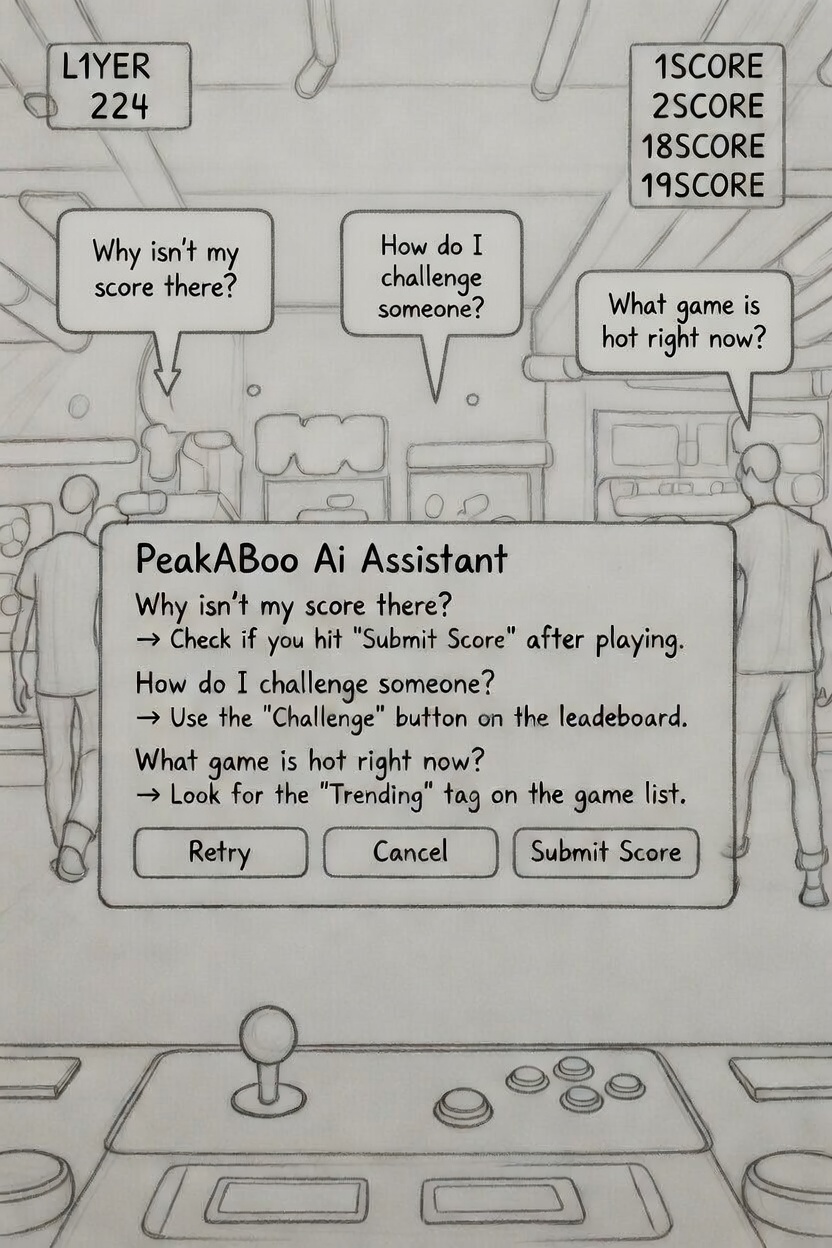
Players and arcade owners kept needing fast answers, and digging through menus broke the flow and felt impersonal.
- Why isn't my score there?
- How do I challenge someone?
- What game is hot right now?
How might we give arcade players instant answers without pulling them out of the game?
I approached PeakABoo as a contextual sidekick, not a separate tab: always accessible, low friction, and deeply tied to the app's retro competitive spirit.
Designing the voice before the UI
Before a single screen, I wrote the character. PeakABoo is an enthusiastic 90s arcade kid: competitive, a little cocky, and always rooting for you.
- ✓Short sentences
- ✓Gamer slang
- ✓Light emojis
- ✓Gentle rivalry
- ✓Celebrates the win
- ✕Corporate stiffness
- ✕Sarcasm
- ✕Condescension
- ✕Walls of text
- ✕Menu speak
Yo! 👾 PeakABoo here. Ready to crush some high scores or find the nearest cabinet? Let's get it!
Looks like your score photo got cropped. Re-snap it and I'll push it live, should pop up in 5 to 30 seconds.
Bold move! 🥊 Sending a challenge notification to Sarah, "your Pac-Man score is going down!" She's online now, so expect a reply soon. Good luck!
The tone never crosses into sarcasm or condescension. It uses gentle rivalry and arcade kid enthusiasm to keep the player motivated.
From teaser bubble to arcade buddy
PeakABoo launches as a subtle chat teaser on PeakCade's homepage, activating on tap or QR scan with an instant neon modal greeting and quick reply chips for zero friction actions.
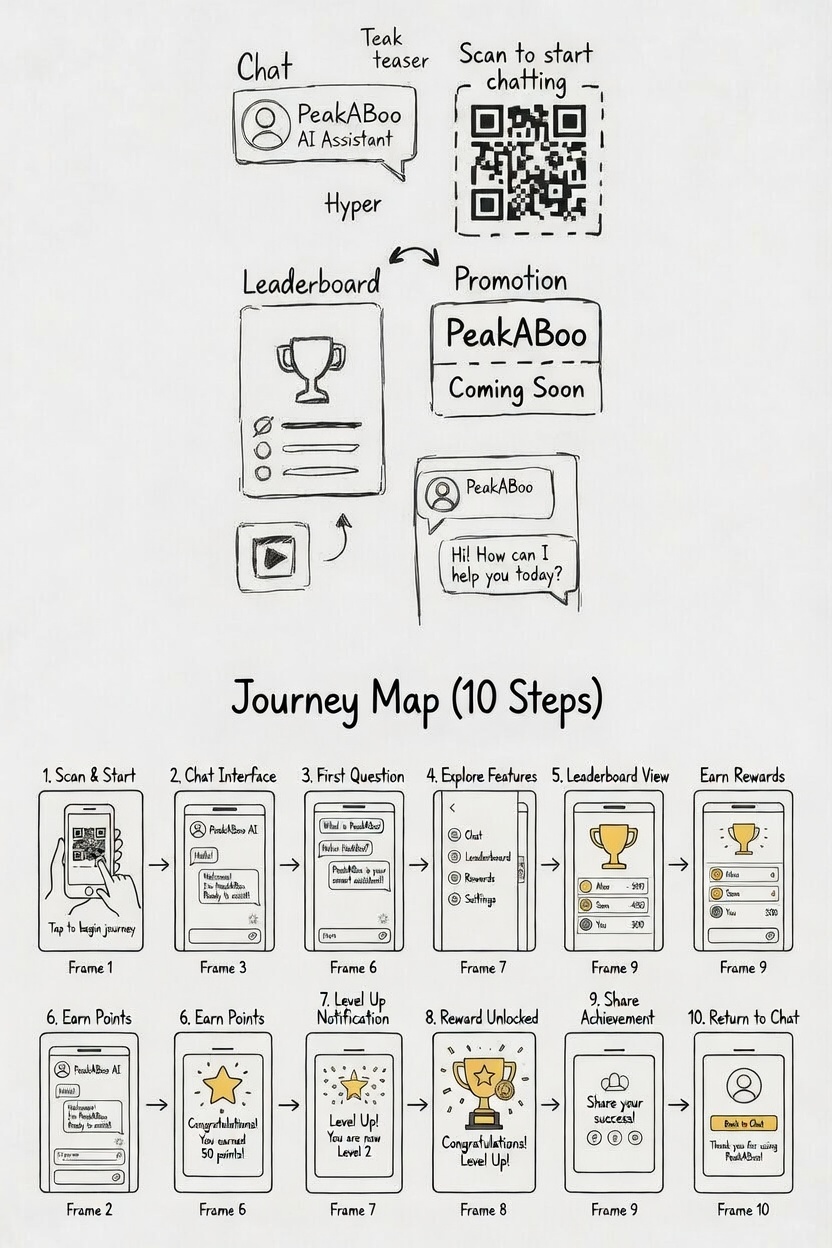
It reads screen context to deliver targeted help: troubleshooting scores, pulling leaderboards and suggesting challenges, while keeping the app fully visible behind it.
Players dismiss with a single tap on the ×, and PeakABoo lingers "Online" for the next session, learning preferences over time to evolve into a personalised arcade buddy.
Where should the AI live?
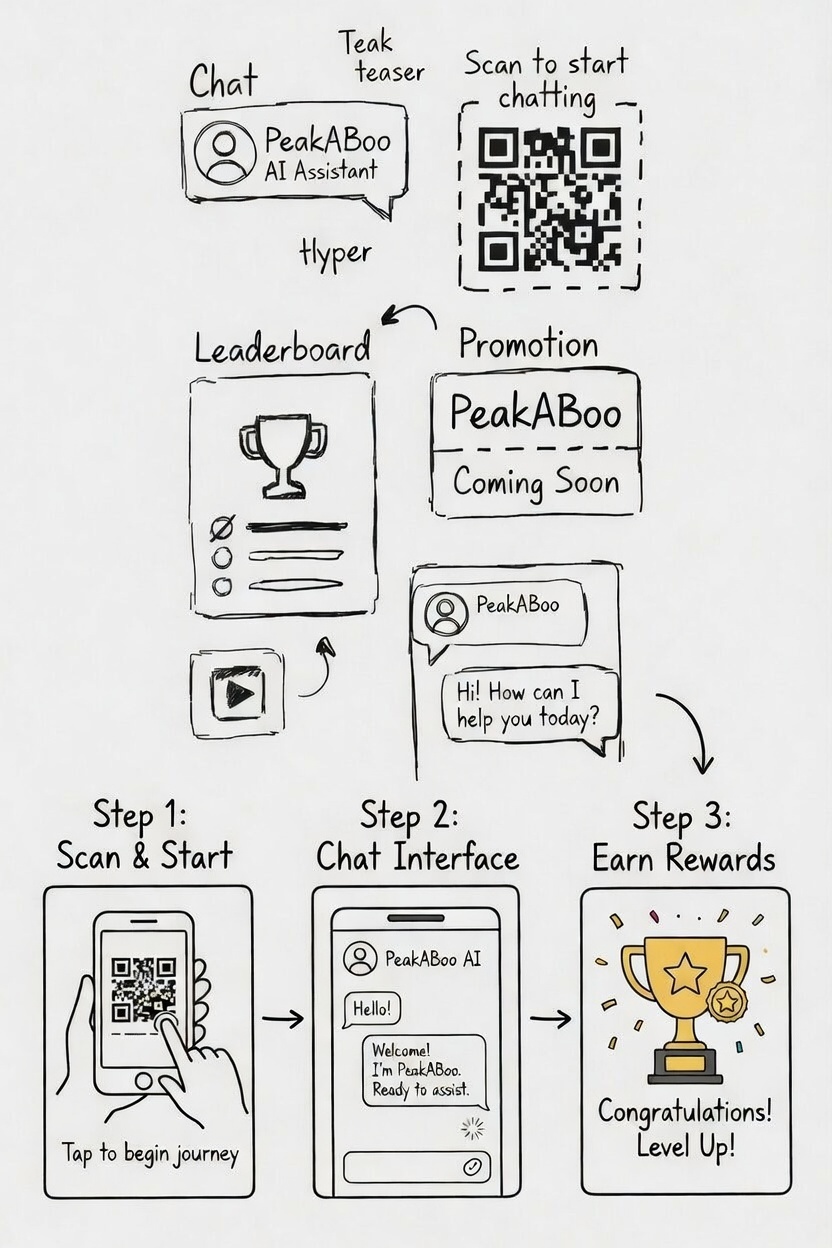
Paper sketches and quick wireframes tested where the assistant should live. Full screen chat pulled players out of the app, so the contextual modal won on friction alone: it answers the question and hands the screen straight back.
Fewer taps, less typing
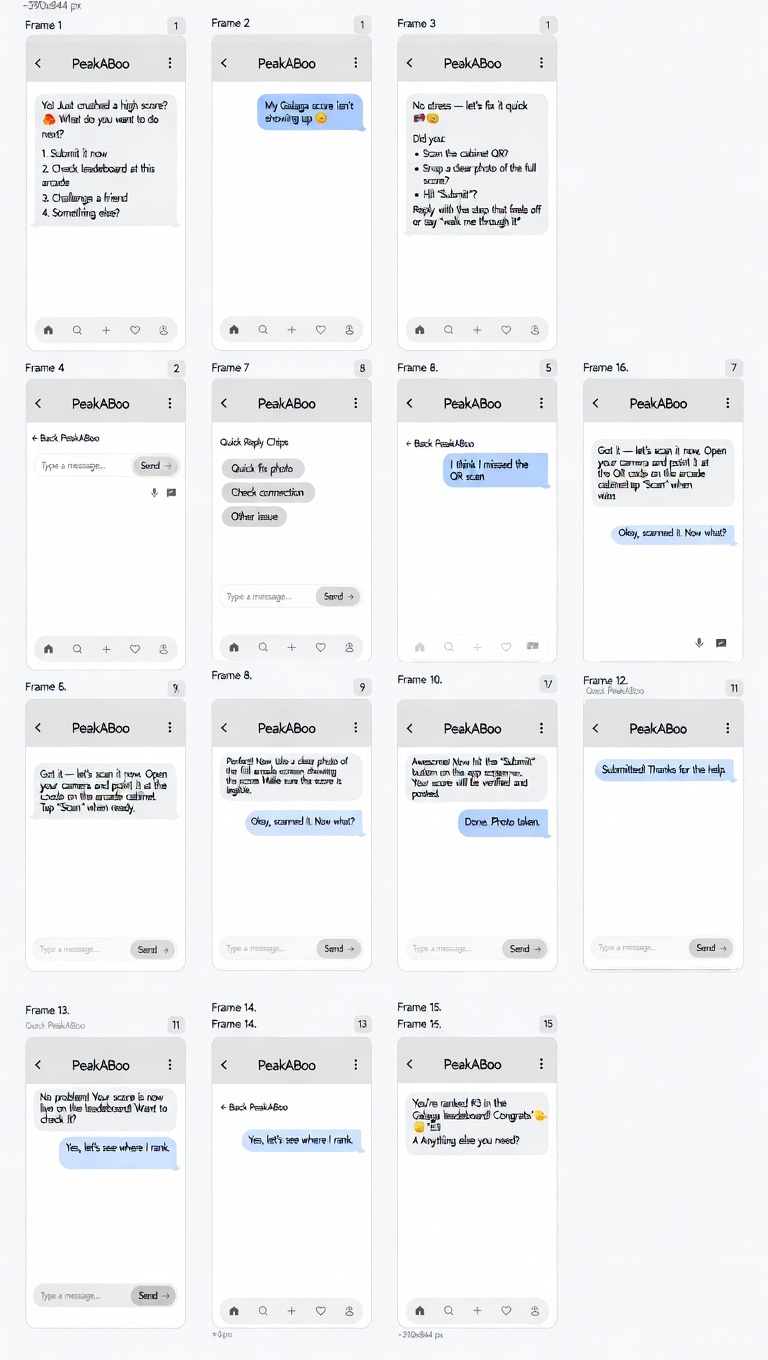
- Added quick reply chips to cut typing to a single tap. Scout Map Check Ranks Challenge Weather
- Tested an always visible teaser bubble against scan to start QR. A hybrid of the two, teaser plus scan trigger, felt the most natural.
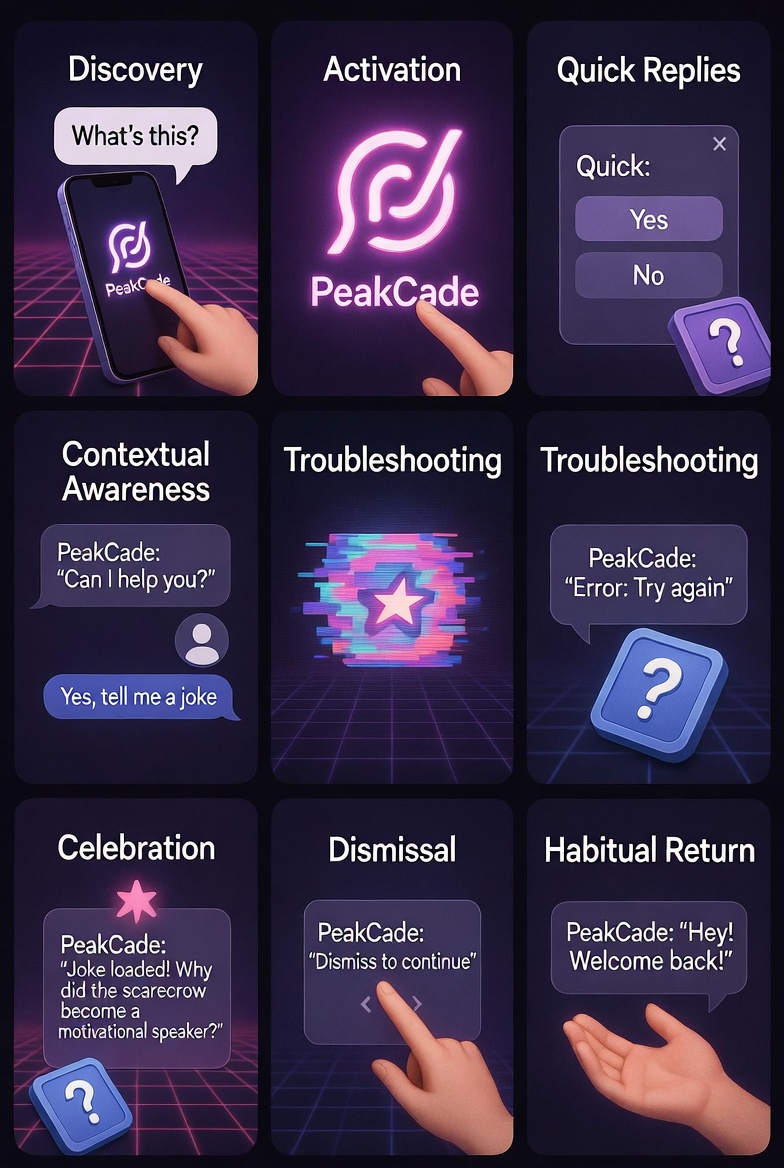
- Mapped nine interaction states, from discovery and activation through troubleshooting, celebration and habitual return, so the assistant had an answer for every moment.
Ten journeys, one state machine
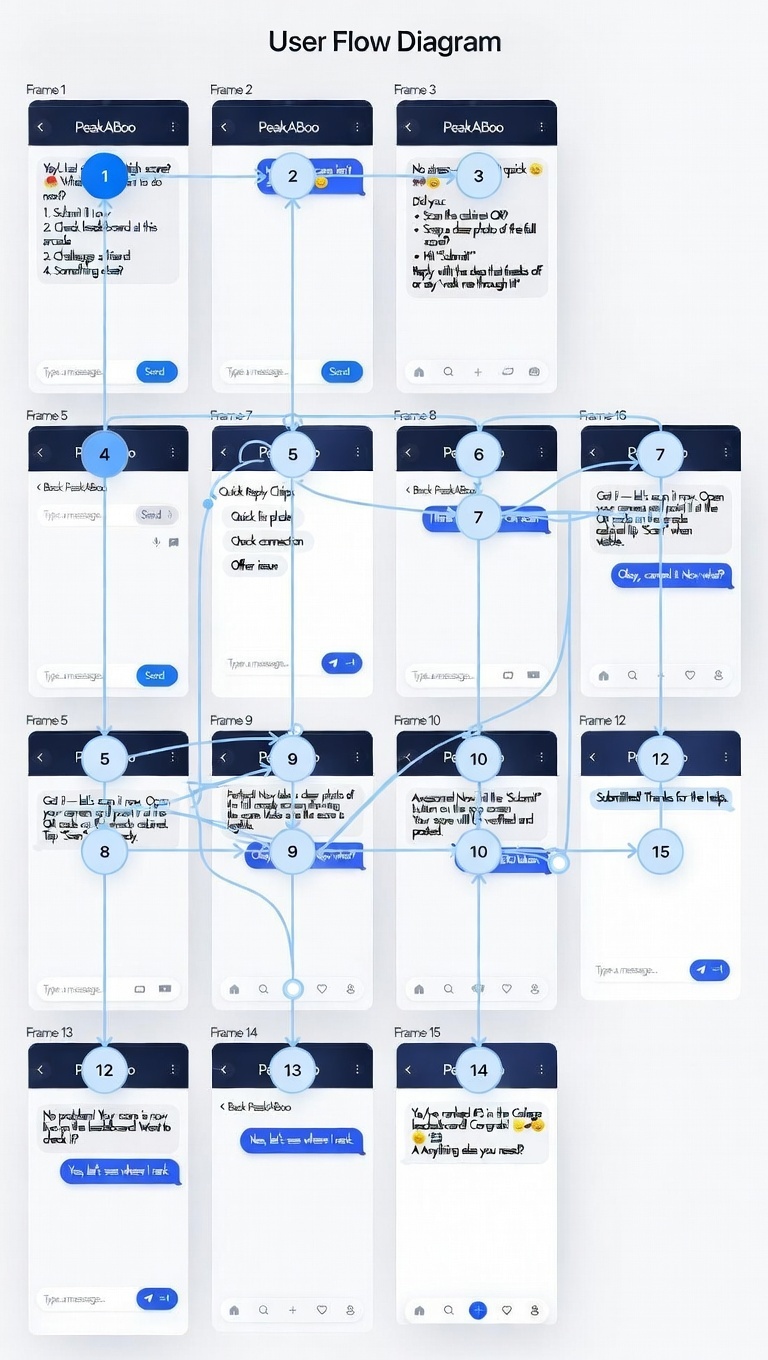
I charted more than ten journeys, missing score, challenge a friend, start a tournament, so no conversation could dead end. The workflow keeps everything frictionless: players act, PeakABoo responds with action buttons or a next step, celebrates the win and dismisses cleanly. Over time it learns favourite games and venues and starts suggesting the next move first.
Writing the conversation
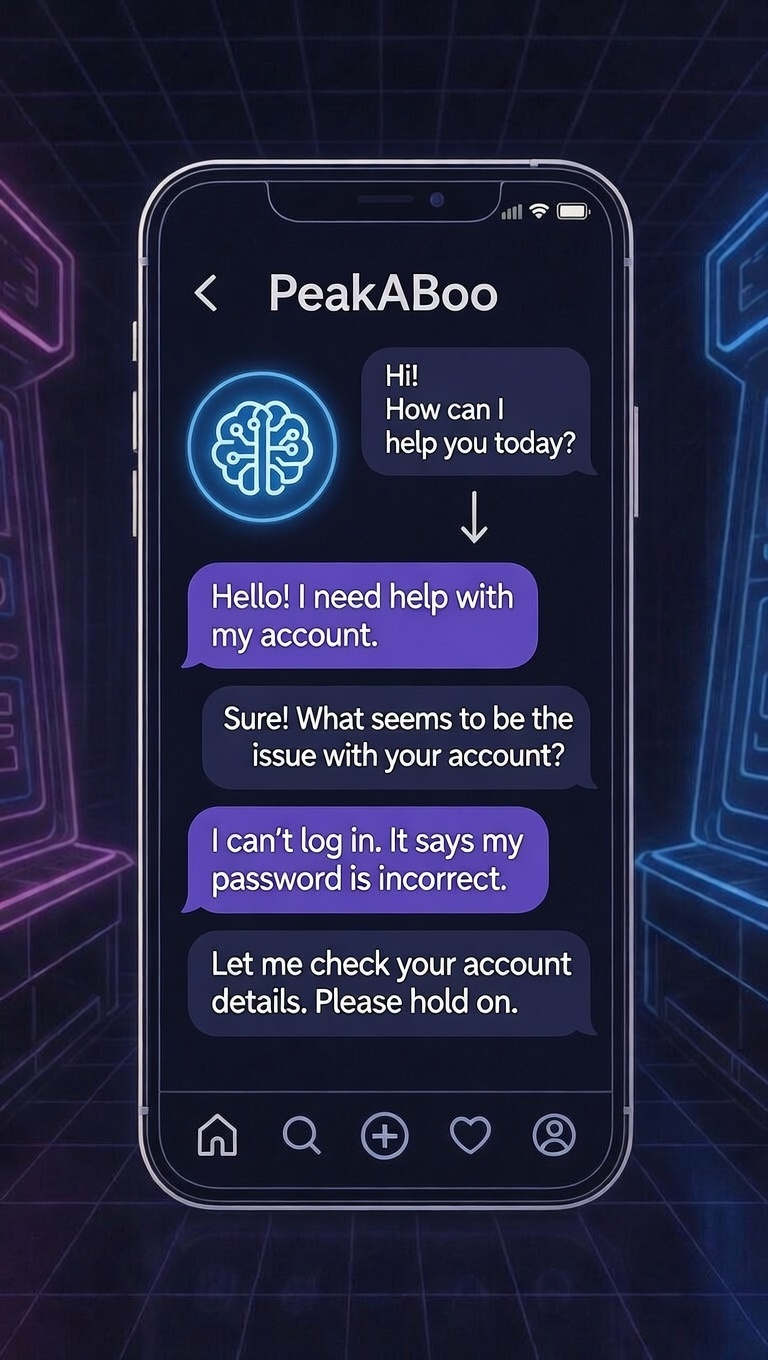
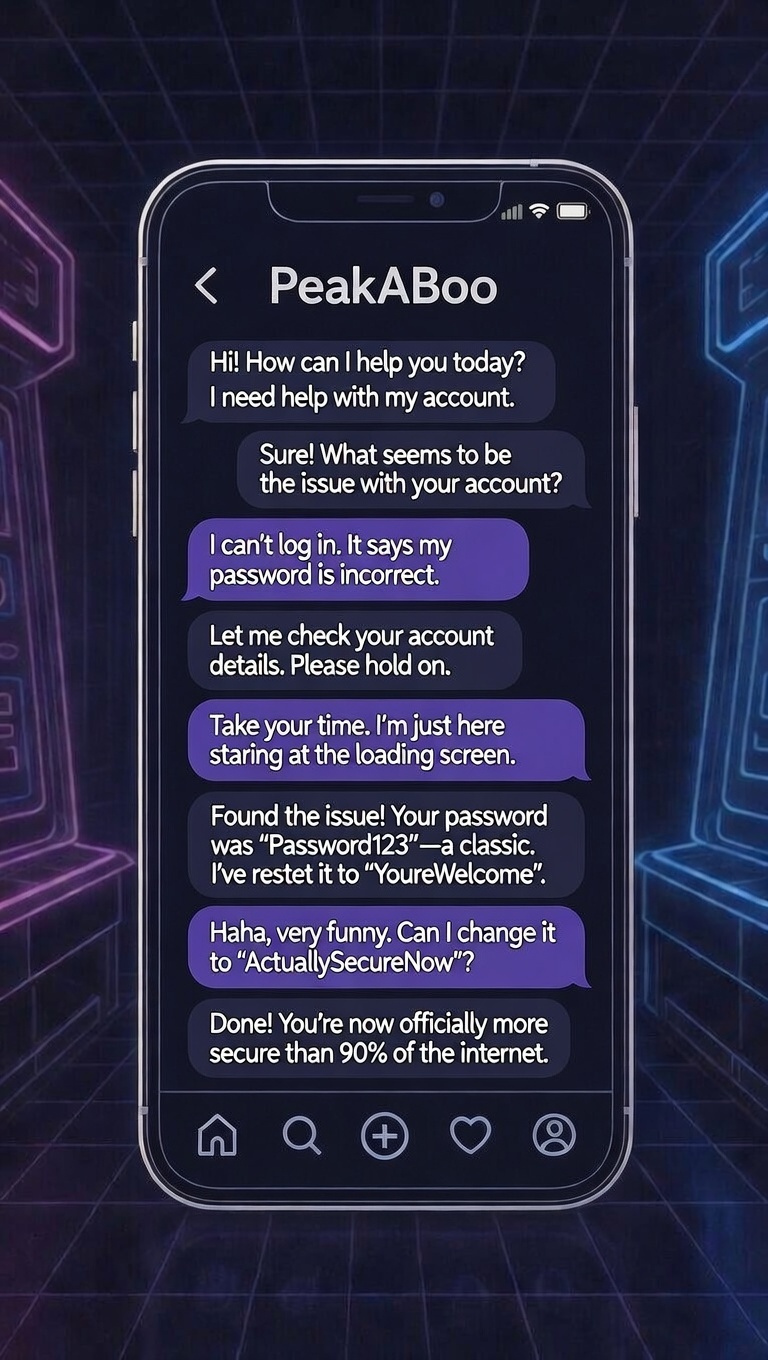
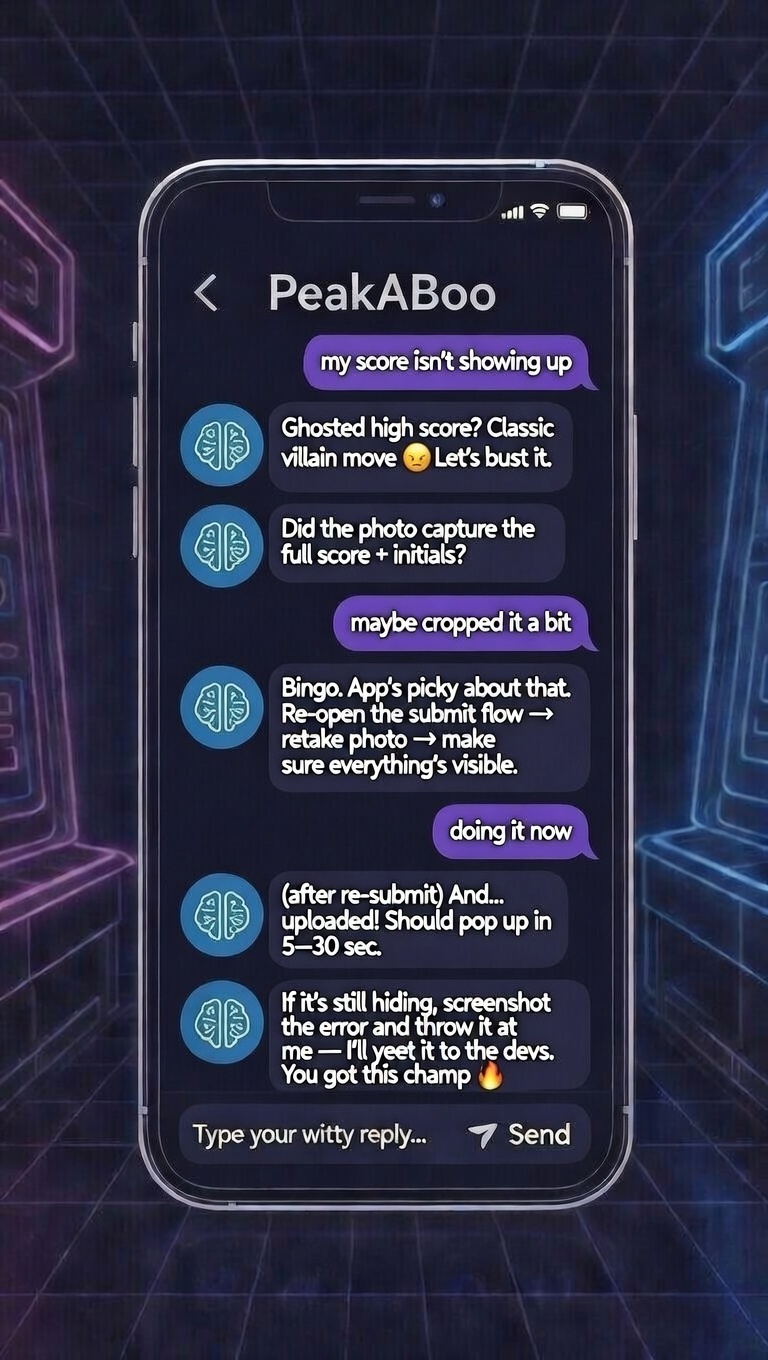
The prototype positions PeakABoo as the real time conversational brain of PeakCade, a contextual state machine that keeps the assistant present but never intrusive, syncing chat state with the screen behind it.
The account recovery script walks a locked out player through a password reset without leaving the chat, while the missing score script diagnoses a cropped photo and gets the resubmission moving in a couple of taps.
Interactive prototype
Talk to PeakABoo
Tap the chat teaser and start a conversation
The shipped modal
The modal overlay activates from the bottom chat teaser or a QR scan, delivering help without breaking flow. Dark neon styling, an "Online" glow, quick reply chips and PeakABoo's signature voice make each interaction feel personal.
-
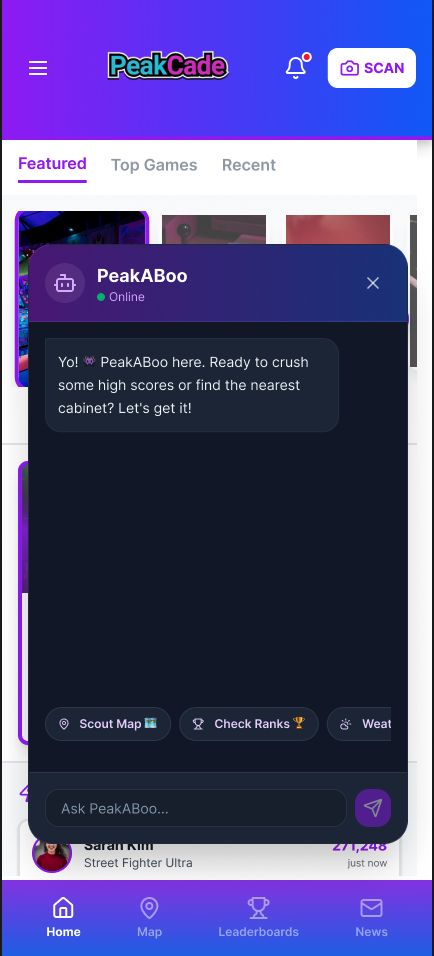
01 Idle greeting PeakABoo opens with its hype line and three quick reply chips, before the player types anything. -
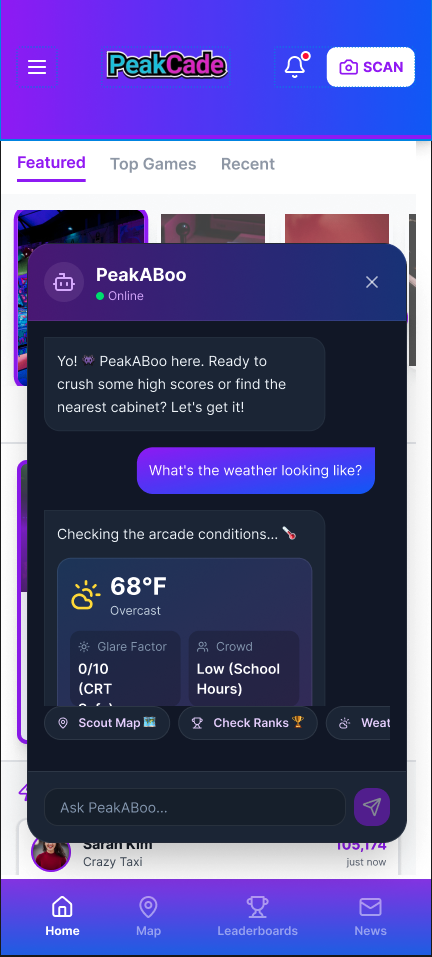
02 Context on tap A weather card answers with glare factor and crowd level, the two things that actually decide an arcade run. -
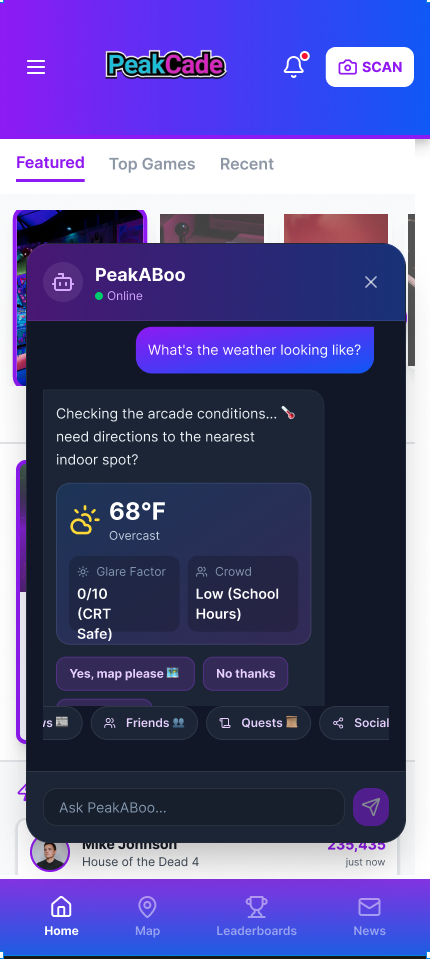
03 Hand off, don't hold The same card offers directions to the nearest indoor spot, with a yes or no the player can tap. -
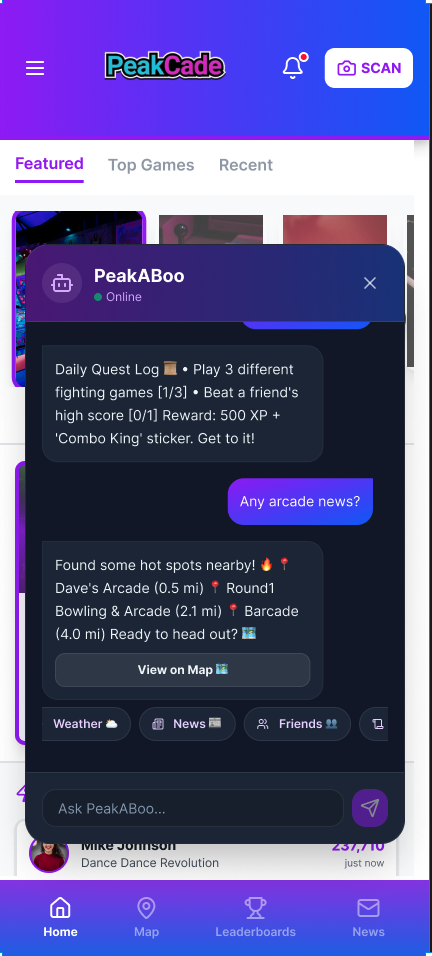
04 Local intel Arcade news and nearby hot spots, ending in a "View on Map" button that returns the player to the app. -
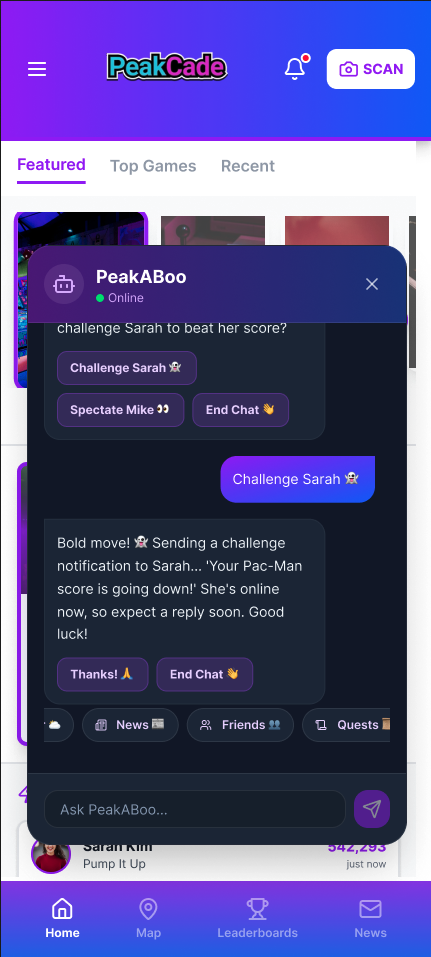
05 The nudge A finished game becomes a challenge: one tap sends it to Sarah and the modal steps back out.
A face for the voice

PeakCade's own identity is neon cyan and magenta. PeakABoo needed to belong to it without disappearing into it, so the assistant took the one colour the arcade was not already using. A single violet circle with a soft robot glyph reads instantly at 32px in a chat header, and still holds up as key art.
Colors, type & iconography
Color palette
- Violet #7C3AED
- Indigo #2563EB
- Ink #16121F
- Surface #241C3A
- Online #22C55E
- White #FFFFFF
Typography
Aa
Aa
Type scale
- Ag Heading Section titles
- Ag Lead Lead paragraphs
- Ag Base Body copy
- Ag Small Captions, labels
Iconography

Conversation components
The sidekick, not the tab
PeakABoo turns potentially frustrating moments, a missing score, a cropped photo, a friend you want to beat, into quick, fun conversations. It makes PeakCade feel more alive, more approachable and stickier for players and arcade owners alike.
What I owned
- Defined the personality: an energetic 90s arcade kid who is competitive but always rooting for you
- Wrote the full voice and tone bible
- Designed 15+ core dialogue flows
- Built the dialogue flowcharts and ready to use scripts
- Wrote the micro-copy and response variations that keep replies from repeating
Key takeaways
- Voice is a design deliverable. Writing the character before a single screen kept every later decision on tone.
- Context beats a bigger surface. The modal won because it hands the screen back instead of taking it over.
- Chips carry the load. A tap beats typing in a loud arcade.
Tools & deliverables: Figma · FigJam · Grok (AI guidance) · voice and tone bible · dialogue flowcharts · conversation scripts · interactive prototype